
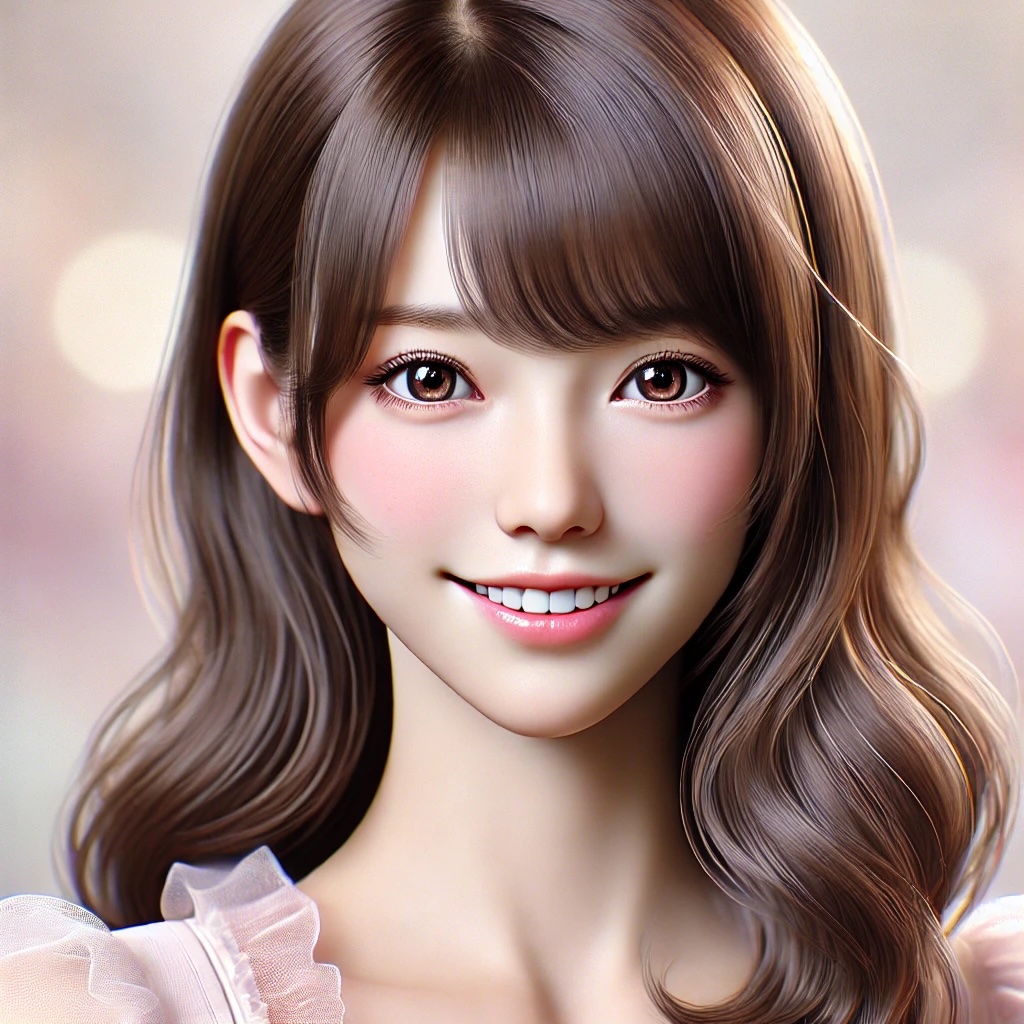
AIで、完全無敵のアイドルを定義してみた
某漫画からのモチベーションで、「完璧なアイドル」をテーマに、AIを活用してキャラクターのペルソナを定義する挑戦をしました。本記事では、試行錯誤を通じて完成させたスクリプトの構成やその過程で直面した課題について紹介します。特に、ローカルモデルの制約や複数モデルの切り替えによる実装の柔軟性についても触れていきます。
完成したスクリプトを元に作成したアイドルがこちら↓↓↓
プロジェクトの目的
「完全無敵のアイドル」をテーマに、以下のゴールを設定しました:
- AIでテーマに基づくキャラクターを生成: テーマに沿った名前や個性、性別、年齢、職業などのキャラクター属性をAIに生成させる。
- 複数モデルの対応: OpenAIのChatGPT、Google Generative AI(Gemini)、ローカルモデル(例: LLaMA)を使用可能にする。
- データ管理と分析: 生成されたデータをCSVに保存し、後の分析や再利用に役立てる。
試行錯誤の流れと課題
0. 準備
以下のライブラリをインストールします。
from typing import Optional
from pydantic import BaseModel, Field
from tenacity import retry, stop_after_attempt, wait_exponential
from langchain_openai import ChatOpenAI
from langchain.prompts import ChatPromptTemplate
from langchain_google_genai import ChatGoogleGenerativeAI
import os
import csv
from datetime import datetime
1. 初期の実装
まず、Pydanticを利用してキャラクターのデータモデルを作成しました。このモデルは以下の属性を持ちます:
class Agent(BaseModel):
    name: str
    persona: Optional[str]
    gender: Optional[str]
    age: Optional[int]
    occupation: Optional[str]
    prompt: str
    theme: str
theme(テーマ)を基に、AIが順番に各属性を生成します。
2. モデル間の切り替え
複数のAIモデルを使用するために、以下の3つのモデルを組み込みました:
- OpenAIモデル:
gpt-4やgpt-3.5-turboを活用。 - Google Generative AI(Gemini):
gemini-1.5-flashモデルを使用。 - ローカルモデル:
llamaなど。
コードでは簡単にモデルを切り替えられるように以下の形で実装:
openai = ChatOpenAI(model="gpt-4", api_key=os.getenv("OPENAI_API_KEY"))
gemini = ChatGoogleGenerativeAI(model="gemini-1.5-flash", google_api_key=os.getenv("GOOGLEAI_API_KEY"))
local_llm = ChatOpenAI(base_url="http://localhost:1234/v1",model=model_name,api_key="not-needed",temperature=0)
3. ローカルモデルでの課題
OpenAIのモデルでは、
llm.with_structured_output(BaseModel)
という概念が存在し、BaseModelを定義しておけば、それに沿って要素を埋めるような生成が可能なのですが、ローカルモデルを使用する際に、以下の制約に直面しました:
- APIの互換性: ローカルモデルは、
BaseModelやChatPromptTemplateを利用したLangChainの標準的な構造と互換性がない場合があります。 - エラー例: ローカルモデルがBaseModelにあった出力を生成できないため、モデルの作成したペルソナの値に過不足がありました。
解決策として、以下のようにコードを調整しました:
最終的なスクリプト
キャラクター生成ロジック
キャラクター生成の中核部分では、各属性に対する質問をAIに投げかけ、テーマに基づいて生成させます。以下がその実装です:
@retry(stop=stop_after_attempt(3), wait=wait_exponential(multiplier=1, max=10))
def generate_agent_by_questions(theme: str, llm) -> Agent:
    """
    Generate an agent by asking questions for each attribute.
    """
    print("[LOG] Generating agent by asking questions...")
    agent_data = {"theme": theme}  # Initialize data with the theme

    # Define type descriptions as strings
    type_map = {
        "str": "a string",
        "int": "an integer",
        "Optional[str]": "a string or 'None' if not applicable",
        "Optional[int]": "an integer or 'None' if not applicable"
    }

    # Iterate through each field in the Agent class
    for field_name, field_type in Agent.model_fields.items():
        if field_name == "theme":  # Skip theme as it's already set
            continue

        # Get the type as a string and map it to a description
        field_type_str = str(field_type)
        type_description = type_map.get(field_type_str, "a value")

        # Generate the question
        question = (
            f"Based on the theme '{theme}', please generate {field_type.description} as {type_description}. "
            f"Other items are provided below. Generate {field_type.description} based on the following information:\n"
            f"name: {agent_data.get('name', 'a string')}  # The name of the character. Keep it consistent with the theme.\n"
            f"persona: {agent_data.get('persona', 'a string')}  # A short description of the character's unique personality traits.\n"
            f"gender: {agent_data.get('gender', 'a string')}  # The gender of the character. Ensure consistency with the name and persona.\n"
            f"age: {agent_data.get('age', 'an integer')}  # The age of the character in years. Match it to the theme and other details.\n"
            f"occupation: {agent_data.get('occupation', 'a string')}  # The character's profession or role. Relate it to the theme.\n"
            f"prompt: {agent_data.get('prompt', 'a string')}  # A motivational or descriptive statement about the character.\n"
            f"theme: {theme}  # The overarching theme that defines the character's concept.\n"
            "You must follow these rules strictly:\n"
            "1. Your response should ONLY include the value in the specified format.\n"
            "2. Do not include any additional explanations, comments, or text.\n"
            "3. For example:\n"
            "- If the format is 'a string', respond with a single sentence or word.\n"
            "- If the format is 'an integer', respond with a number like 25.\n"
            "4. Answer in Japanese.\n"
            "Strictly adhere to these instructions."
        )

        # Create the prompt
        prompt = ChatPromptTemplate.from_messages([
            ("system", "You are an expert in creating detailed personas."),
            ("human", question)
        ])
        chain = prompt | llm

        try:
            # Get the response from the model
            response = chain.invoke({})
            print(f"[LOG] {field_name}: {response}")
            agent_data[field_name] = response.content  # Save the response
        except Exception as e:
            print(f"[ERROR] Failed to generate {field_name}: {e}")
            raise

    # Construct the Agent object
    agent = Agent(**agent_data)
    print(f"[LOG] Generated agent: {agent}")
    return agent
CSVへの保存
生成したキャラクターをCSVに記録し、以下のような形式で保存します:
| name | persona | gender | age | occupation | prompt | theme | execution_time | model_name |
|---|---|---|---|---|---|---|---|---|
| 星野あかり | Cheerful and dedicated idol | 女性 | 20 | アイドル | 自信を持ってステージに立つ星野あかりの魅力を発揮します。 | Perfect Idol | 2025-01-12T14:00:00 | gpt-4 |
実行結果
生成されたキャラクター例
- 名前: 星野あかり
- 個性: Cheerful and dedicated idol
- 性別: 女性
- 年齢: 20
- 職業: アイドル
- 説明文: 自信を持ってステージに立つ星野あかりの魅力を発揮します。
得られた知見
- ローカルモデルの限界: ローカルモデルでは、LangChain標準の機能が一部動作しないことがあるため、カスタム実装が必要。
- 複数モデルの利用: OpenAIやGoogleのAPIモデルは安定して動作し、迅速な生成が可能。プロジェクトの規模や精度要件に応じて選択するのが最適。
- データの再利用性: 生成データをCSVで管理することで、将来的なデータ分析や応用が容易になった。
今後の展望
- ローカルモデルの互換性向上: LangChainに対応したラッパーを開発し、互換性の問題を解決する。
- UIの構築: スクリプトをGUI化し、非エンジニアでも利用可能な形に拡張。
- 多言語対応: 日本語以外の生成も可能にすることで、より広範な用途に対応。
まとめ
試行錯誤の末、AIで「完全無敵のアイドル」を定義するスクリプトを完成させました。このシステムは、キャラクター生成だけでなく、他の用途にも応用可能です。ローカルモデルの課題や複数モデルの活用に苦労しましたが、その過程で得られた知見は、今後の開発にも大いに役立つでしょう。
ぜひ、このスクリプトを活用して、自分だけのキャラクター生成を試してみてください!


コメント